
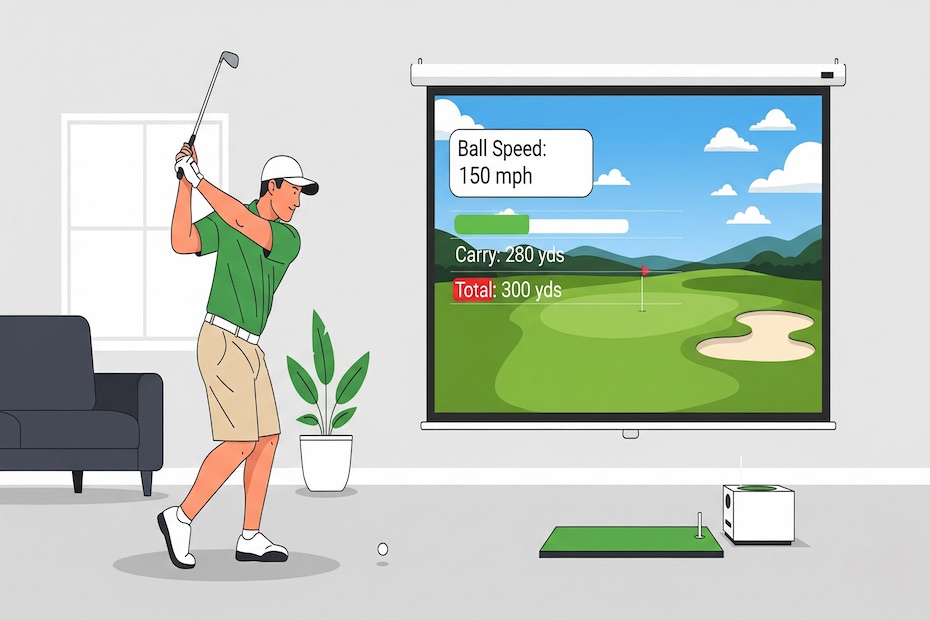
The best golf simulator software for realistic at-home practice is GSPro, TGC 2019, and E6 Connect, each excelling in physics accuracy, graphics, and value depending on your setup.
When you’re investing in a simulator for at-home practice, your choice of software determines whether the time you spend indoors translates to lower scores outdoors. In this guide, you’ll see what makes simulator software truly realistic, how the leading options stack up, and which features matter most for your practice style, hardware, and long-term goals.
What features make golf simulator software realistic?
You measure realism by how closely the software mirrors what happens on the course. If the launch angle, spin rate, or carry distance displayed indoors doesn’t match what you’d get outdoors, your practice loses value. That’s why you need software that delivers tight tolerances across all these variables. When software integrates well with your launch monitor, you gain a level of precision that allows you to correct your swing with confidence.
Realism also comes from how the virtual environment looks and responds. Accurate topography, weather conditions, and ball-roll behavior on greens add layers of authenticity. Some platforms build courses with LIDAR data, giving you the contours and elevations of real-world venues. When you hit a draw into an uphill fairway and see the ball react the way it would in real life, that’s when you know your simulator is doing its job.
How do GSPro, TGC 2019, and E6 Connect compare in physics, graphics, and value?
GSPro has become the go-to for golfers who want realism paired with ongoing updates. You get highly accurate ball flight physics and a constantly expanding library of community-built courses. The catch is that it requires a strong PC to run smoothly, but if you invest in the hardware, you’ll be rewarded with some of the most lifelike visuals available.
TGC 2019 is often praised for being the best value over time. You pay once, and in return you gain access to more than 150,000 courses created by the community. The graphics are polished, and the gameplay feels reliable, particularly for full swings. On the other hand, short-game reads can be less consistent. If you’d rather avoid annual fees and still have endless course variety, TGC 2019 is hard to beat. E6 Connect rounds out the big three by focusing on licensed, polished courses with a user-friendly interface. It’s frequently bundled with launch monitors, making it a cost-effective entry point, though you may find yourself paying extra for additional course packs.
Can you use your existing launch monitor with different software?
You can usually integrate your current launch monitor with multiple simulator platforms, but compatibility is not universal. Before making a decision, you need to confirm whether your monitor is supported. Premium models such as SkyTrak, Flightscope Mevo+, and Foresight GCQuad work with most major software options, but each provider maintains a list of supported devices. Checking this list saves you the frustration of buying software you can’t use.
The type of launch monitor you own also shapes the results you’ll get. Radar-based monitors excel at capturing full swings, especially outdoors, but they can struggle with slower shots like chips or putts. Camera-based monitors tend to read short shots more effectively, giving you stronger results if you want your indoor practice to emphasize the short game. Matching the right monitor with the right software is how you unlock the most accurate practice sessions.
What are the subscription vs one-time cost trade-offs?
Your decision between subscription-based software and a one-time purchase comes down to how you plan to use the system over the long term. A one-time purchase, such as TGC 2019, requires a higher upfront investment but eliminates ongoing fees. If you’re planning to practice consistently over several years, this option usually works out cheaper while still offering vast course variety.
Subscription models like GSPro and E6 Connect can feel more manageable at first because of the lower upfront cost. They also deliver regular updates, new courses, and improvements to physics and graphics. The trade-off is that the cost accumulates over time, and after a few years, you may end up spending more than you would with a one-time purchase. Your usage patterns should guide you here: frequent players who value fresh content may benefit from subscriptions, while steady users who prefer predictable costs often lean toward one-time licenses.
How many courses do you really need?
When you’re choosing software, course count often grabs attention, but quality matters far more than raw numbers. A solid rotation of 20 to 30 courses that cover links, parkland, mountain, and resort styles will give you enough variety to test every shot in your bag. What matters is how accurately those courses replicate the topography, green speeds, and hazards you’d face outdoors.
With TGC 2019, you get an enormous selection of more than 150,000 community-built courses, many of them created with LIDAR data for topographical accuracy. GSPro offers a growing library with detailed, realistic visuals contributed by its community of designers. E6 Connect focuses on fewer but licensed courses, giving you a polished and professional look, though often at a higher cost per course. The best choice is the one that keeps you engaged without sacrificing realism.
How well do simulators handle short shots, chips, and putting?
This is an area where even the best simulator software faces challenges. Full swings are usually captured with great accuracy, but chips, pitches, and putts require more delicate detection. Many users find that putting, in particular, is less reliable indoors, as greens are difficult to replicate digitally.
Still, progress has been made. GSPro and E6 Connect include settings designed specifically for short shots, which improves detection and makes practice more useful. TGC 2019 can also perform well depending on your launch monitor, but consistency varies. If your main focus is improving wedges and putting, you’ll want to ensure both your monitor and software emphasize short-shot accuracy. Otherwise, you may need to supplement simulator practice with dedicated short-game sessions on real turf.
What hardware and space requirements matter most?
No matter how strong the software is, it can only perform as well as the hardware supporting it. To get the most out of GSPro, for example, you’ll need a capable PC with a modern GPU that can handle high-resolution graphics. Skimping on your graphics card or RAM will introduce lag and stutter, breaking the immersion.
Space is another critical factor. Most simulator setups require a room length of about 15 feet and ceiling height of at least 10 feet, especially if you’re using radar-based launch monitors that need more distance behind the ball. Projectors and impact screens also influence your experience: a high-quality projector with good brightness and resolution makes your courses feel vivid and lifelike. Neglecting any of these factors undermines the realism of your entire setup.
Key Comparison of the Best Golf Simulator Software
- GSPro: Best visuals, strong physics, frequent updates.
- TGC 2019: One-time cost, huge course variety.
- E6 Connect: Polished, bundled affordability with licensed courses.
In Conclusion
Choosing the best golf simulator software for realistic at-home practice comes down to balancing accuracy, course quality, and cost model. GSPro, TGC 2019, and E6 Connect each serve different types of players, and your launch monitor, room dimensions, and budget will decide which one fits best.

Barry Bekkedam is an entrepreneur and finance executive focused on investment management and advisory. A former Villanova standout and member of Canada’s men’s national basketball team, he now leads ventures in asset management and philanthropy, including the Barry Bekkedam Foundation supporting education and community development.